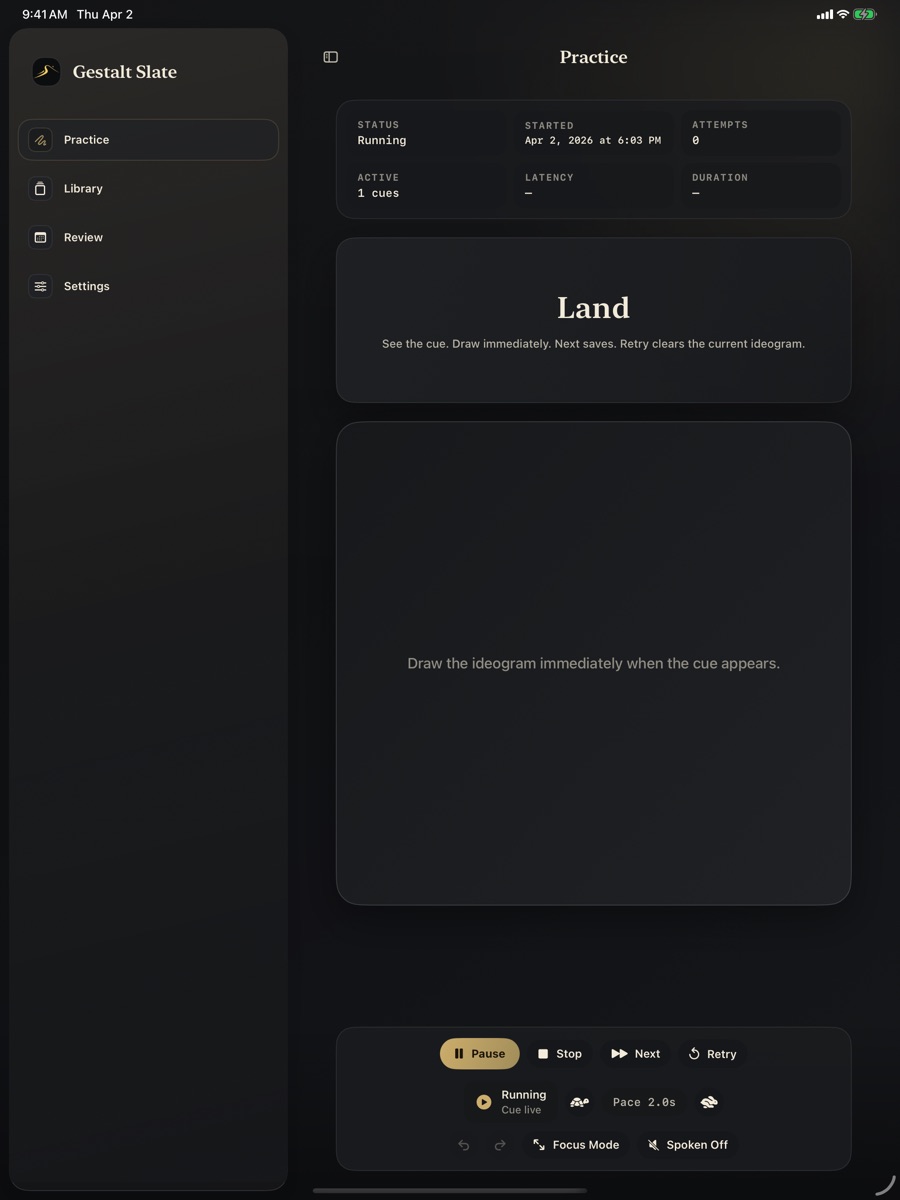
Practice
Immediate cue view
The active cue, slate, and controls stay within one glance so the loop stays unbroken.
 Gestalt Slate
Private ideogram studio
Gestalt Slate
Private ideogram studio
iPhone, iPad, and Mac
Build a weighted cue set, move through practice without clutter, and return to review only when you actually want depth.
Live studio preview
Three surfaces, one rhythm
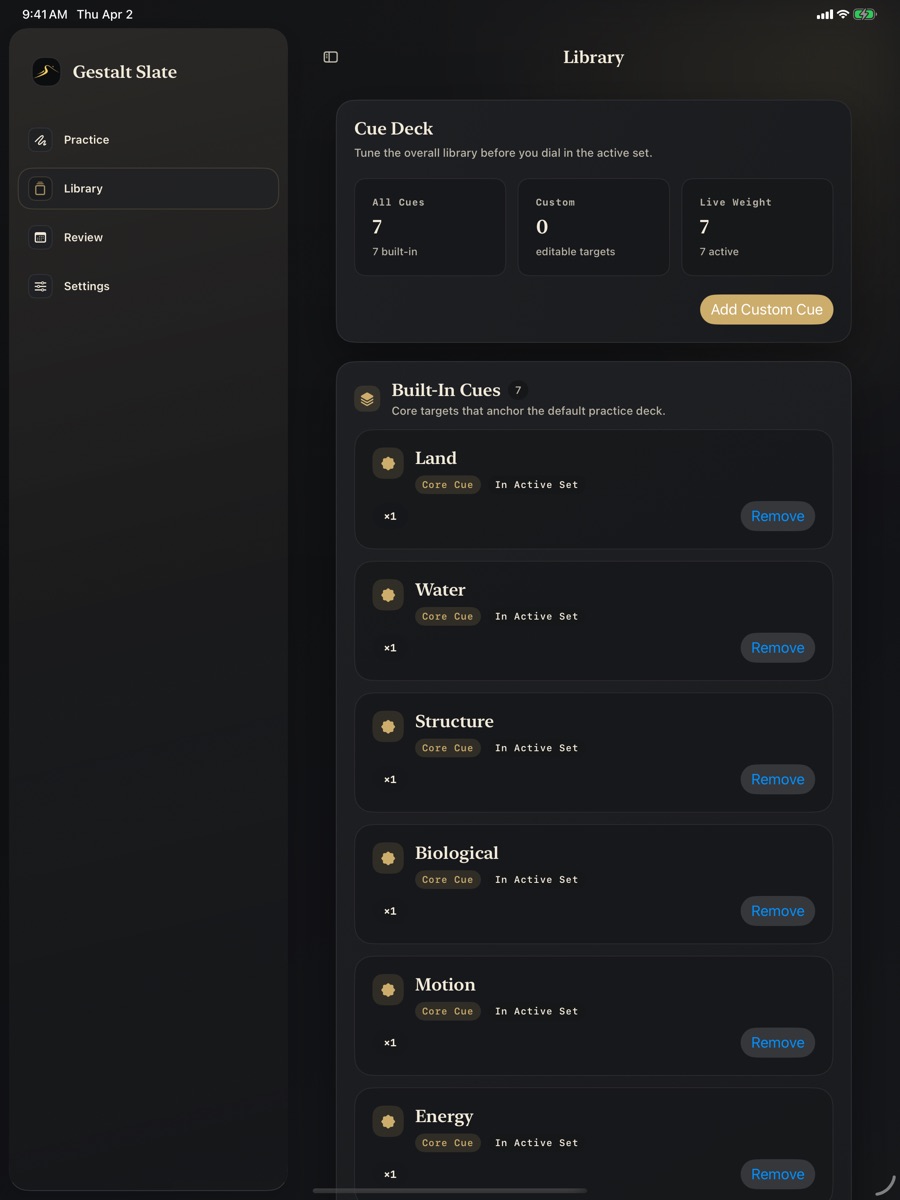
Adjust cue weight and composition before the session starts.
The practice surface stays sparse so the ideogram arrives fast.
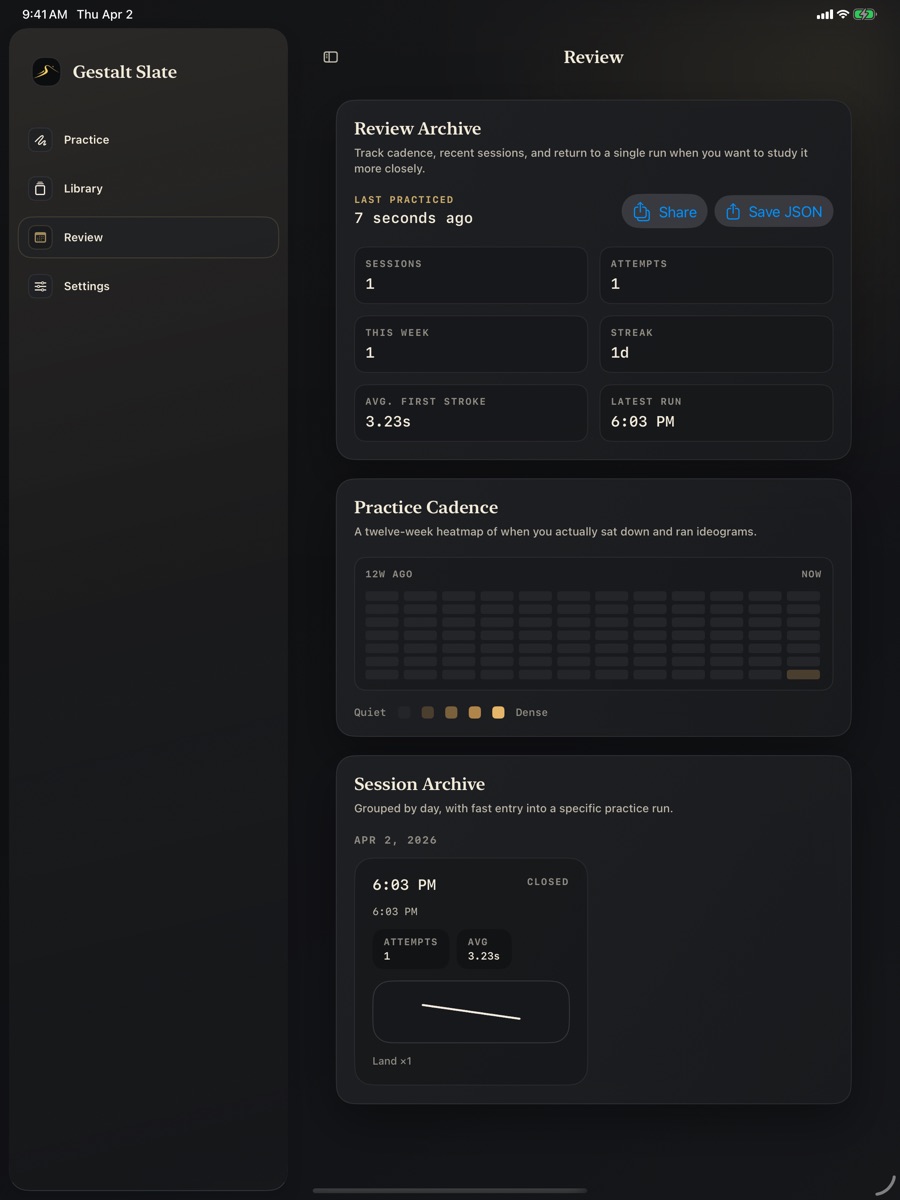
Review is there for cadence, sessions, and archive depth after the run.
Product preview
These screens are captured from the real app, so the landing reflects what the product actually feels like in its dark studio state.
Practice
The active cue, slate, and controls stay within one glance so the loop stays unbroken.
Library
Core targets and active-set control are visible without collapsing into a settings maze.
Review
The review surface expands into cadence, attempts, and session history without disturbing the practice flow itself.
Release information
Everything operational lives in the open, in the same tone as the product.